
For advertisers
Add money to your account
Card, voucher code, and what to do if you have neither.
Your ads cannot run until there is money in your account. This page explains the two ways to put it there and what happens as it gets spent.
Where to go
Click Add Funds in the menu, or the balance shown at the top of the screen. Your current balance is always visible up there, along with a rough estimate of how long it will last at your current rate of spending.
Paying by card
If the network you are advertising on takes cards, a card option appears here. Choose an amount, enter your card details on the payment page, and the balance updates as soon as the payment clears.
Not every network takes cards. Plenty run on vouchers alone, especially smaller ones. If you do not see a card option, that network has not switched card payments on, and the voucher route below is the way in.
Using a voucher code
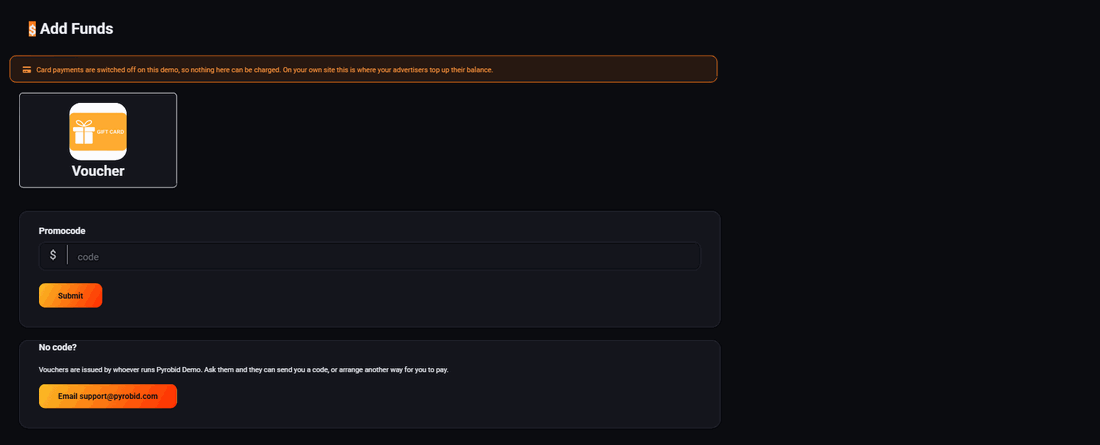
A voucher is a code worth a fixed amount of credit. Type it into the Promocode box and press Submit. The credit appears on your balance immediately and behaves exactly like money you paid in.
Vouchers are how most networks hand out free trials. If you are talking to someone about advertising and have not been offered one, ask.
No code and no card option
Under the promocode box there is a short note saying vouchers are issued by whoever runs the network, with a button that emails them. That button is the correct way to ask for credit or to arrange another way to pay. It goes to the person who owns the network, not to a general support desk.
How the money gets spent
Money comes off your balance as your ads are shown. A thousand views from the United States cost exactly your bid, and every other country costs a set share of it: the table under the bid box in the ad wizard shows each one. So wherever your ads run outside the United States, you pay less per thousand views than your bid. Other advertisers never bring your price down.
When the balance reaches zero, your ads stop. They are not deleted and nothing is lost. Top up and they start again, with all their settings and history intact.
Set a daily budget as well as a total one. Without a daily budget, a busy day can spend an entire balance before lunch. With one, the same money is spread out and you get a clearer read on how the campaign is performing.
Keeping an eye on it
The balance at the top of every screen also shows an estimate of how long your money will last at the rate you are currently spending. If that estimate drops to a few days, top up before it runs out rather than after, because a campaign that stops and restarts loses whatever momentum it had built.
Your reports show exactly where the money went: which days, which countries, which devices. That is the place to look before deciding whether to add more.
Run all of this on your own site.
Every screenshot above is the real product. Your advertisers see the same screens under your brand, and on your own domain from the Pro plan.
Start free trial14 days free. Your existing ads keep running. Cancel anytime.