
Your account and billing
Your account and its security
Your details, your password, the login history and how to switch two-factor on.
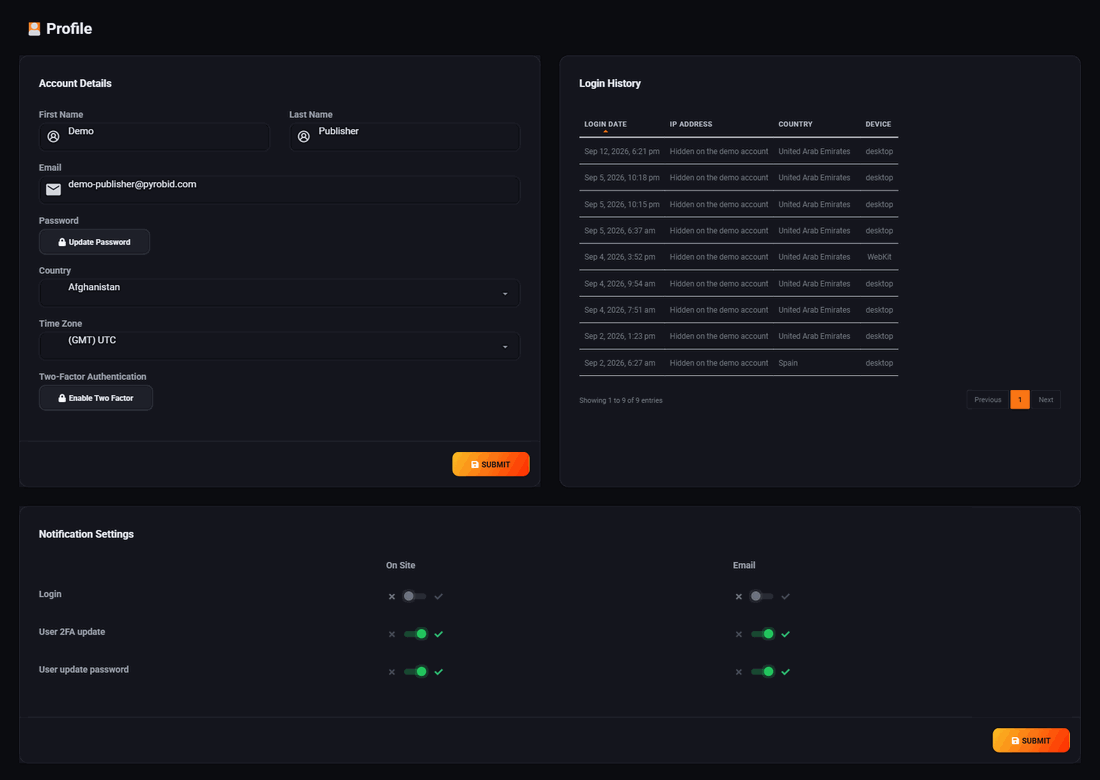
Your profile screen holds four things: who you are, how you sign in, what the system tells you about, and the switch that puts a second lock on the door. It is the same screen whichever side of the network you are on.
Your details
Name, email address, country and time zone. The time zone is worth setting properly rather than leaving on the default, because every report you read and every day-parting schedule you set is drawn in it. A campaign set to run at breakfast runs at somebody else's breakfast if this is wrong.
Your password
Change it on the same screen. Changing it signs you out everywhere, so you will be asked to sign in again with the new one. That is deliberate: if you are changing a password because you think somebody else has it, the change should end their session too.
If you have forgotten it, use the forgotten password link on the sign-in page rather than this screen. Password recovery is switched off on the public demo network, because the demo login is published for anyone to use.
Two-factor authentication
Any account can switch this on. Site owner, advertiser or administrator. You do not need to ask anybody to enable it for you, and it is not held back for a higher plan.
Two-factor means knowing your password is no longer enough to get into your account. After the password, the sign-in page asks for a six digit code from an app on your phone, which changes every thirty seconds.
- Open the Two-Factor Authentication panel on your profile and press Edit.
- Scan the square code with an authenticator app. Google Authenticator, 1Password, Bitwarden and Authy all work. There is nothing special about ours.
- Type the six digit code the app shows you, to prove the app and the account agree.
- Save it. From now on every sign-in asks for a code after the password.
Turning it off works the same way in reverse: you have to enter a valid code to disable it, so somebody holding your password but not your phone cannot quietly remove it.
Why it is worth the thirty seconds
An advertiser account holds a balance. A site owner account decides what runs on pages your readers trust, and can issue voucher codes that become ad credit. Both are worth more to somebody else than a password alone should protect.
What two-factor does not do. It protects sign-in. It does not ask again later, so if you run the network, the account that can issue vouchers is the one not to share, not to leave signed in on a shared machine, and not to hand to a contractor for a week.
Login history
The right side of the profile lists recent sign-ins. It is worth a glance after you have been travelling, or any time something feels off. If you see a sign-in you cannot account for, change your password, which ends every session, and then switch two-factor on.
What you get told about
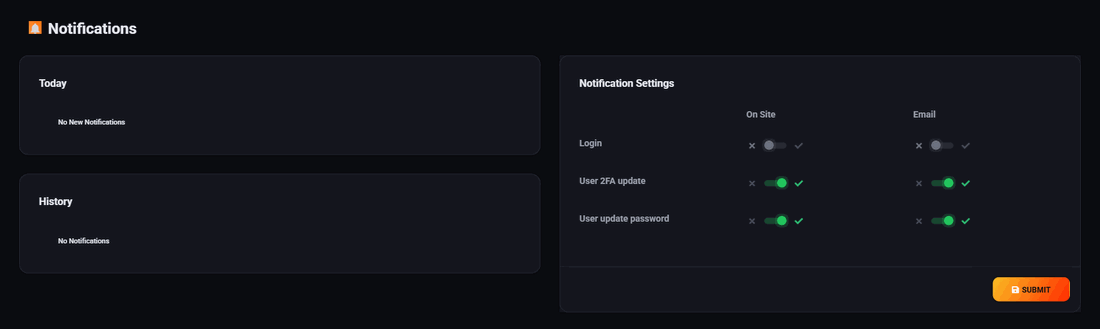
Notification settings are one row per event with two switches: show it in the panel, and send it by email. Turn on what you want to know about and leave the rest off. An empty notifications screen on a new account is not a fault.
Run all of this on your own site.
Every screenshot above is the real product. Your advertisers see the same screens under your brand, and on your own domain from the Pro plan.
Start free trial14 days free. Your existing ads keep running. Cancel anytime.