
For site owners
Get advertisers on board
Your signup link, free trial vouchers, and who to ask first.
Zones and tags are the easy part. Getting somebody to pay for them is the job. This page covers where to send advertisers, how to give them a free trial, and what to say to the first ten.
Where advertisers sign up
Your network has its own signup page. It is your web address with
/advertise on the end. Anyone who goes there creates an advertiser
account on your network, sees your name and your branding, and can
only buy space on your sites.
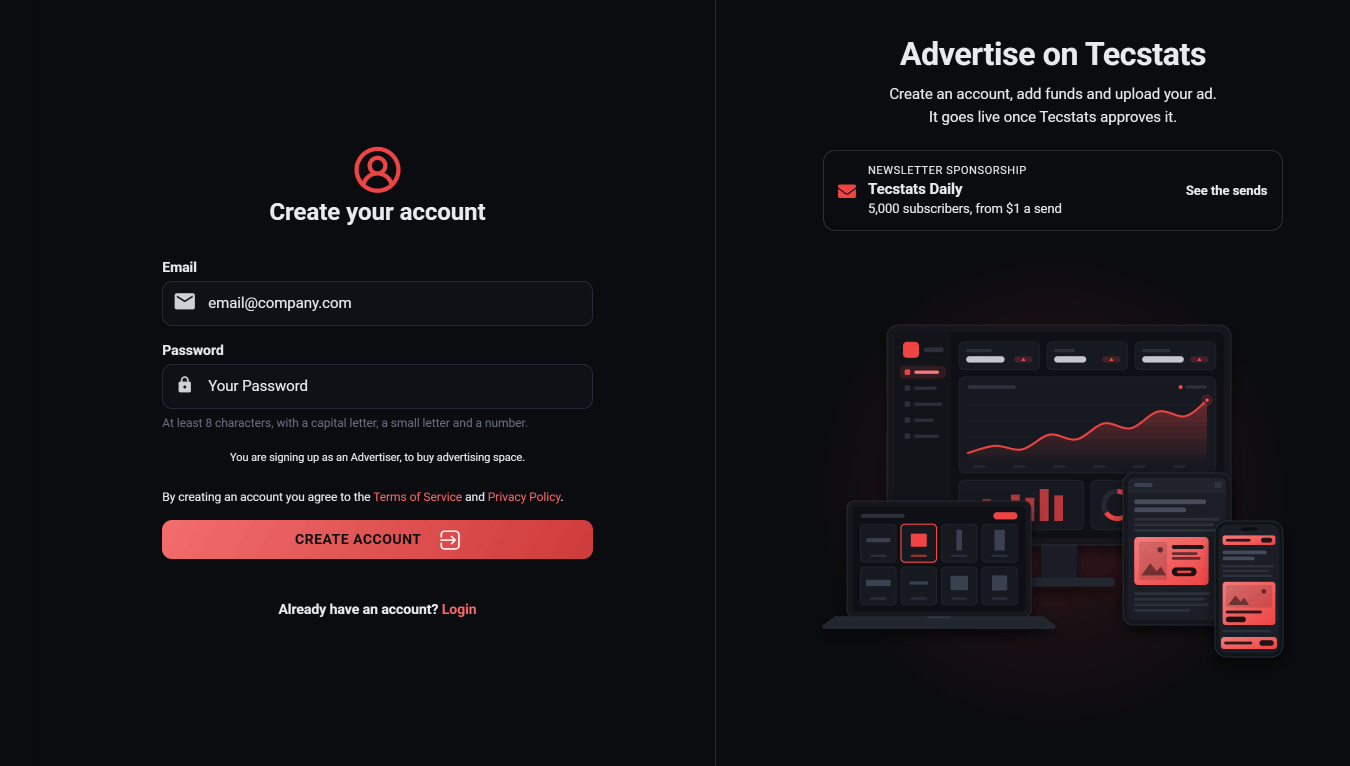
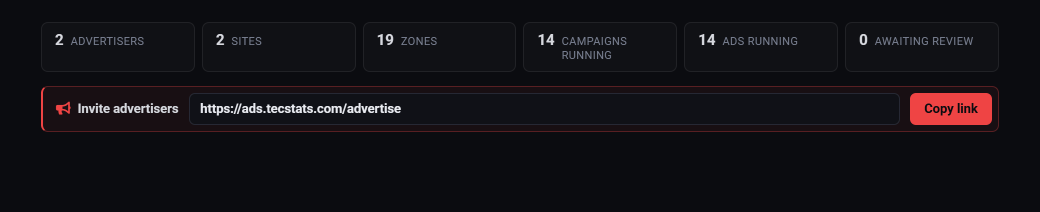
That link is the thing you send people. Put it in your site footer, on a page called Advertise With Us, in your email signature, and in every conversation you have about advertising.
Make an Advertise With Us page on your own site and link it in your main navigation. It costs nothing, it is the page people look for when they want to buy, and it is where your signup link belongs. Say what your site is about, roughly how many people visit, and what the ad slots look like.
Giving someone a free trial with a voucher
A voucher is a code worth a fixed amount of credit. The advertiser types it in on their Add Funds screen and the balance appears. No card, no invoice, no risk to them.
- Open Vouchers and click Create Voucher.
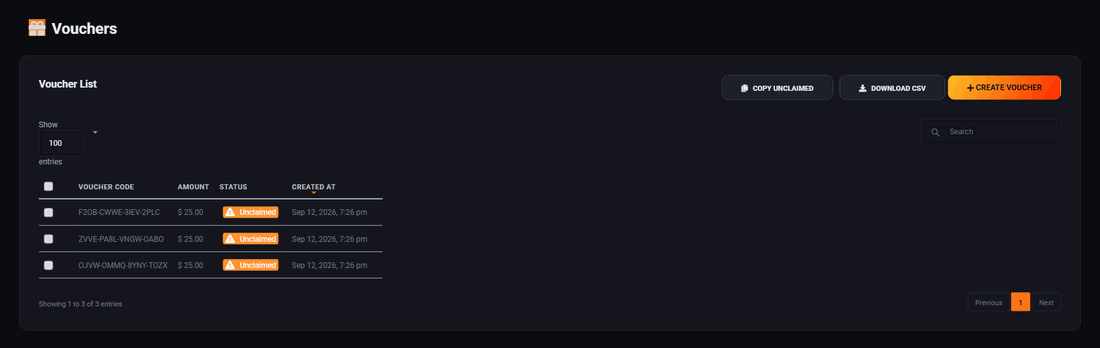
- Say how many codes you want and how much each is worth, then press Submit. Pick enough to buy a few days of real traffic and see actual numbers. Too small and they learn nothing, which is worse than not offering it. A batch is useful when you are approaching several businesses at once.
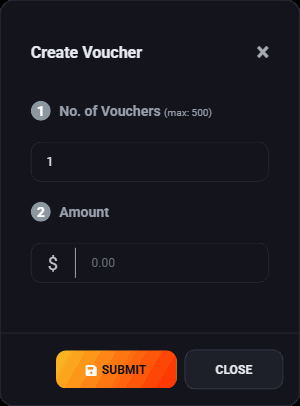
- Copy the codes. They appear once, together, when the batch is created. After that they are in the voucher list mixed in with the rest.
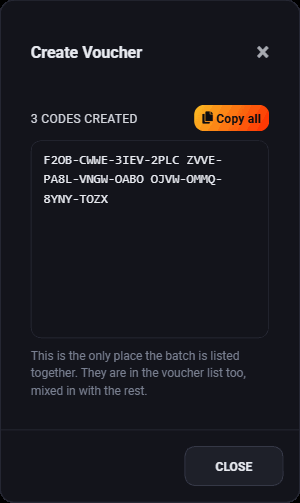
The list shows which codes have been claimed and which are still unused, so you can follow up with anyone sitting on one.
Vouchers are the strongest tool you have when starting out, because the hardest thing to ask a stranger for is the first payment. Give them credit, let them see their own numbers on your traffic, and the second conversation is a different conversation.
If card payments are switched off
A new network often starts with no card processing connected, so vouchers are the only way in. Your advertisers can see this: the Add Funds screen shows a Voucher option and, underneath, a note saying vouchers are issued by whoever runs the network, with a button that emails you.
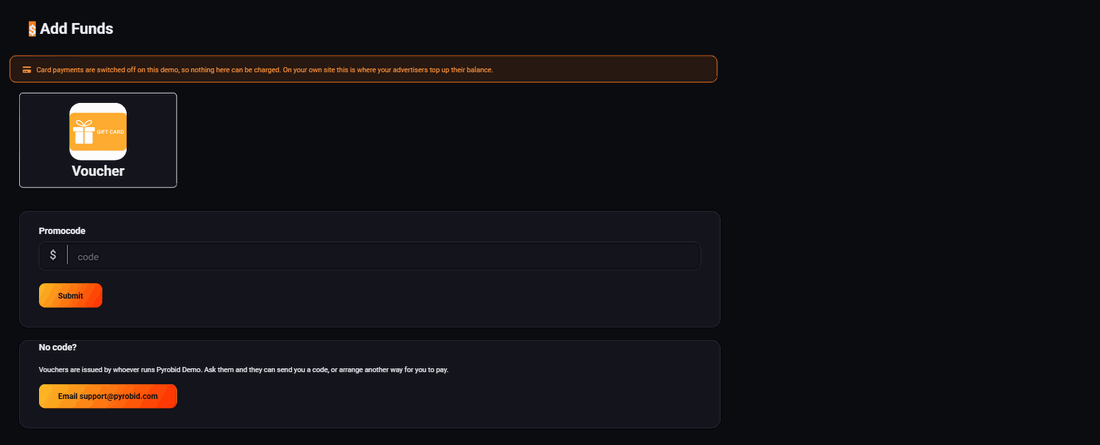
That button uses the support address in your settings. Set it to an address you actually read, because on a voucher-only network it is the only way a customer can reach you.
Who to ask first
Your first advertisers are almost never strangers. In rough order of how likely they are to say yes:
- Businesses you already deal with. Suppliers, people who have advertised with you before, anyone who has emailed you asking about it.
- Businesses whose customers read your site. If you write about mountain biking, every bike shop in the country wants the people on your site. Be specific about that when you write to them.
- People already advertising somewhere near you. If they are buying ads on a similar site, they have a budget and they have decided this audience is worth reaching.
Keep the first message short. What your site is, roughly how many people visit, what it costs, and a voucher so the first test is free. Nobody reads a long first email about advertising.
What to charge
Start lower than you think. An empty ad slot earns nothing, and the first weeks are worth more as evidence than as income. Once you have a few advertisers running, the reports tell you what your space is actually worth, and you can raise your zone floor prices with something to point at.
Be honest about your numbers. Every advertiser sees their own impressions and clicks on their own dashboard within minutes of going live. An inflated traffic claim gets found out on day one, and that is the end of that relationship.
After they sign up
They add money, build an ad, and submit it. It lands in your queue and nothing runs until you approve it, which is Approve an ad. Approving quickly matters more than it sounds: an advertiser who submits on Monday and is still waiting on Wednesday assumes the network is abandoned.
Run all of this on your own site.
Every screenshot above is the real product. Your advertisers see the same screens under your brand, and on your own domain from the Pro plan.
Start free trial14 days free. Your existing ads keep running. Cancel anytime.