
For advertisers
Why is my ad not running
Six reasons, in the order worth checking them.
You submitted an ad and nothing is happening. There are only six reasons for that, and they are worth checking in this order, because the first two account for most of it.
1. It has not been approved yet
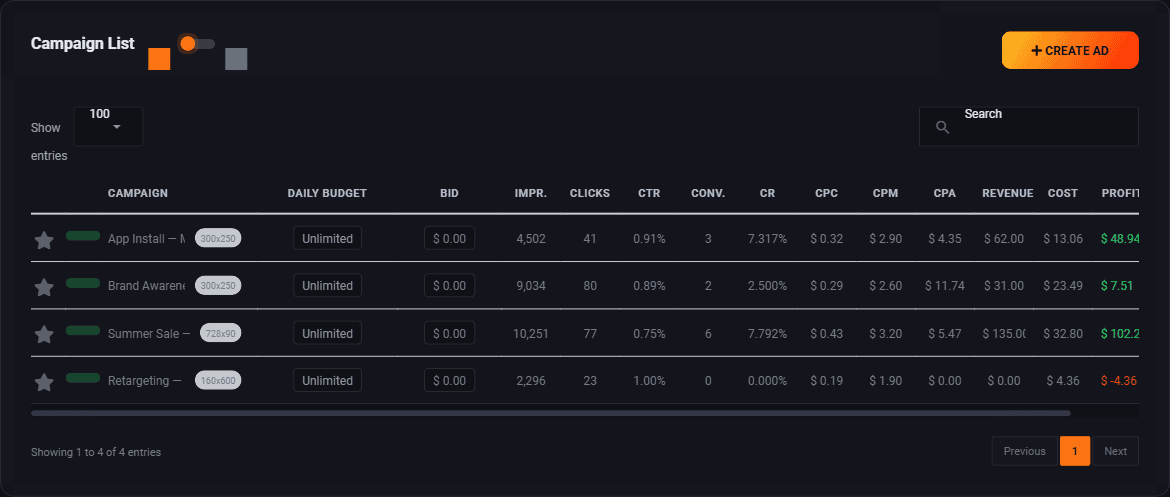
Nothing runs until whoever owns the network has looked at it. That is normally hours rather than days. Open Campaigns and look at the status beside the name. If it is still waiting, there is nothing to fix and nothing to do.
If it was turned down you will have been told why. Fix that thing and submit it again.
2. Your bid is too low
This is the big one. Every slot has a floor, the least its owner will take, and a bid under it is not in the running on that slot at all. Under the floor of every slot your campaign can reach, your ad never appears. Only just over them, it gets a thin share of the views, because a slot is shared out by bid.
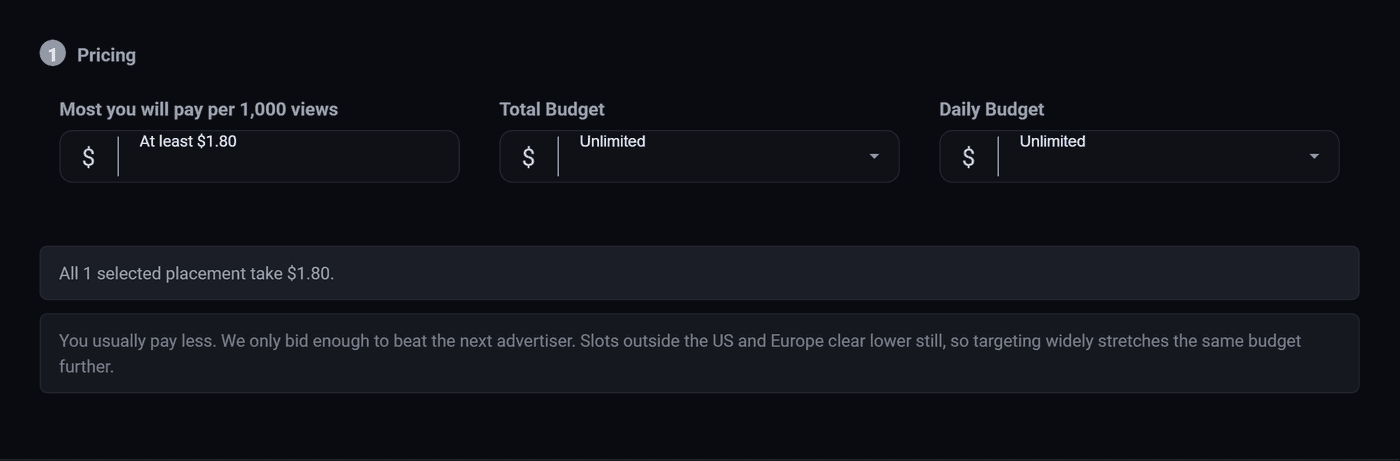
Open the campaign and raise the CPM. Going from $0.80 to $0.85 changes nothing. Double it, see whether views appear, then walk it back down to where they keep coming. Before deciding a bid is too dear, check the country table under it: only views from the United States cost the full number.
3. You have no money in the account
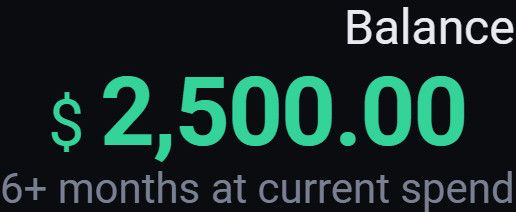
An empty balance stops everything, regardless of budgets. The balance in the top bar also tells you roughly how long the current spend rate will last. See Add money to your account.
4. Your targeting is too narrow
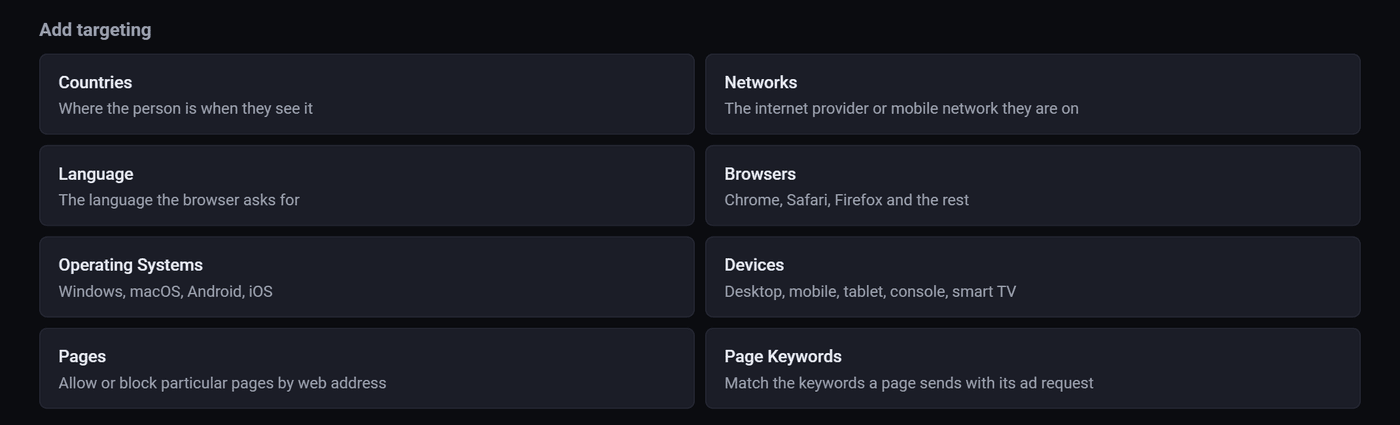
Four reasonable looking filters can leave you with a few hundred people a day. Open step 3 and start deleting rows, most restrictive first. Networks and browsers are the usual culprits, because almost nobody actually needs them.
A quick test: set everything back to All. If views appear within an hour, the problem was targeting, and you can add filters back one at a time.
5. A brake you forgot you set
Check step 4 for these, in this order:
- Daily budget already spent for today. It resets tomorrow.
- Lifetime quota reached. The campaign has stopped for good and will not restart on its own.
- Schedule with an end date in the past, or a start date in the future.
- Active hours set in the wrong timezone. The grid defaults to UTC, so a nine to five set without changing that can be the middle of your night.
- Frequency capping set to one, on a site with a small regular audience.
6. Nothing fits your banner
Your artwork has to match a slot that exists. If you picked an unusual size, there may be very few slots on the network that take it, or none at all. Open step 4, switch Sites to Select, and look at how many zones are actually listed. If that list is short, that is your answer, and the fix is a second banner in a common size.
It is running but getting no clicks
Different problem, different fix. Views but no clicks is never a settings problem. It is the artwork, or the offer, or the fact that the ad is landing beside content that has nothing to do with it.
Look at your report grouped by zone and by country. Usually one or two places are eating the budget and producing nothing, and turning those off fixes the whole campaign. Then try a second banner. Two versions running against each other will teach you more in three days than a week of adjusting numbers.
Still stuck
If you have been through all six and it still will not run, say so to whoever runs this network. Tell them the campaign name and what you have already checked, and they can look at it from the inside.
Run all of this on your own site.
Every screenshot above is the real product. Your advertisers see the same screens under your brand, and on your own domain from the Pro plan.
Start free trial14 days free. Your existing ads keep running. Cancel anytime.