
For advertisers
Buying ads on this network
What the account does, what the numbers mean, and the order to do things in.
You have an account on someone's ad network and you want your ad on their site. This page explains what the account does, what the numbers mean, and the order to do things in.
What you are buying
You are buying space on the websites this network runs. You put money in, you say what you will pay for a thousand views, and your ad competes for space against other advertisers. When it wins, it is shown, and that view comes off your balance.
You are not buying a fixed slot for a fixed month. You are buying views, one at a time, at a price you set a ceiling on.
The order to do things in
- Put money in. Card or voucher code. Nothing runs on an empty balance.
- Build the ad. Artwork, who should see it, what you will pay.
- Wait for approval. Whoever runs the network checks it before it goes live. Usually hours.
- Watch the numbers. They start moving within minutes of going live.
Your dashboard
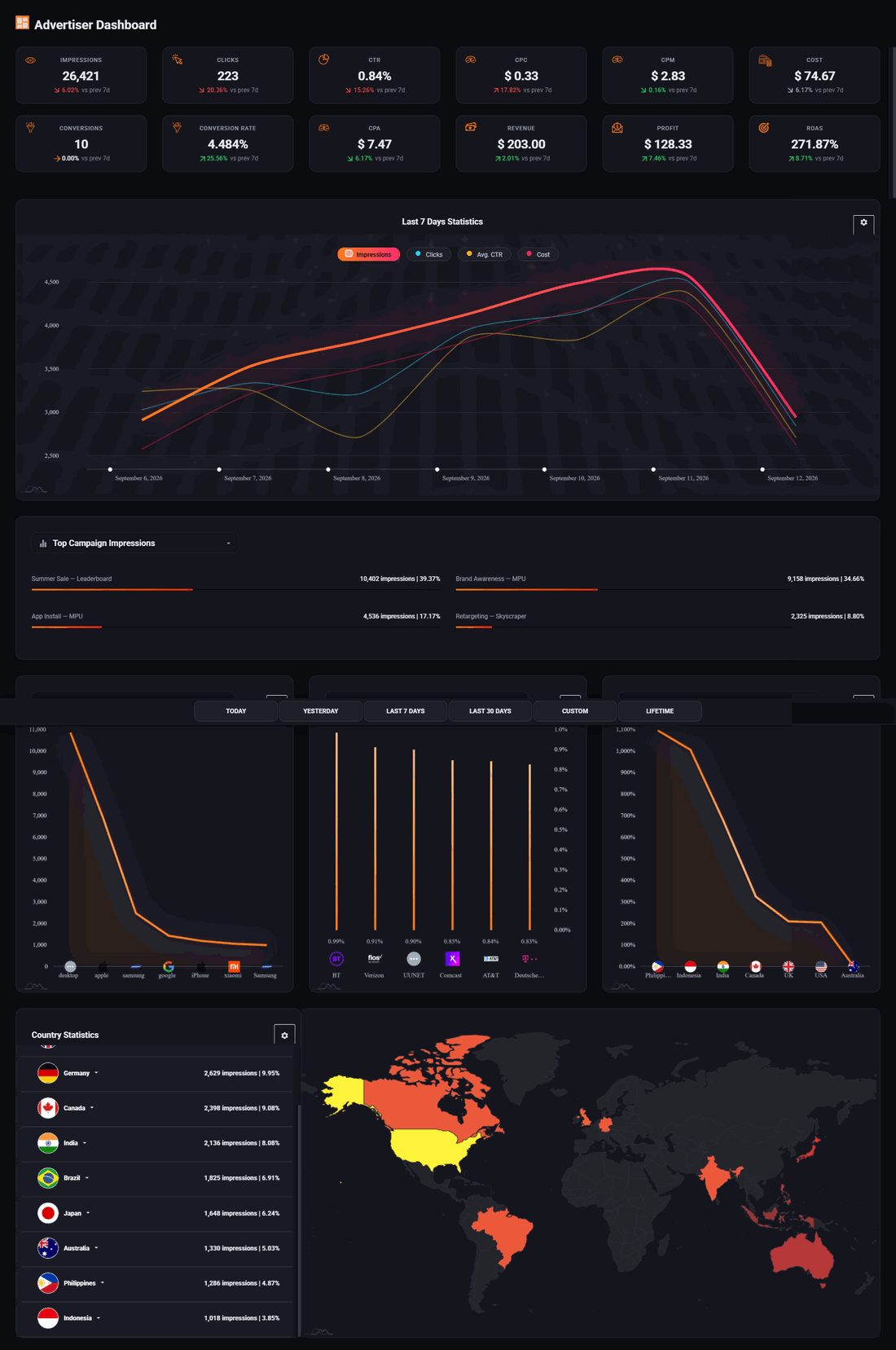
The row of boxes at the top is everything that matters, in order:
- Impressions
- How many times your ad was shown.
- Clicks and CTR
- How many people clicked, and what share of viewers that is. Between 0.5% and 1% is normal for a banner. Below 0.2% means the artwork is not working.
- CPC and CPM
- What you actually paid per click, and per thousand views. On a views campaign a thousand US views cost your bid and every other country a set share of it, so this reads under your bid whenever some of your views came from elsewhere. It also moves when you change your bid.
- Cost
- Money spent so far in the period shown.
- Conversions and conversion rate
- How many people did the thing you wanted after clicking. These only appear if you set up conversion tracking.
- Revenue, profit and ROAS
- If you tell the system what a conversion is worth, it works out whether the campaign is making or losing money. ROAS is return on ad spend: 271% means every dollar spent brought back $2.71.
Your balance sits at the top of every screen, with an estimate of how long it will last at your current rate of spending.
Campaigns
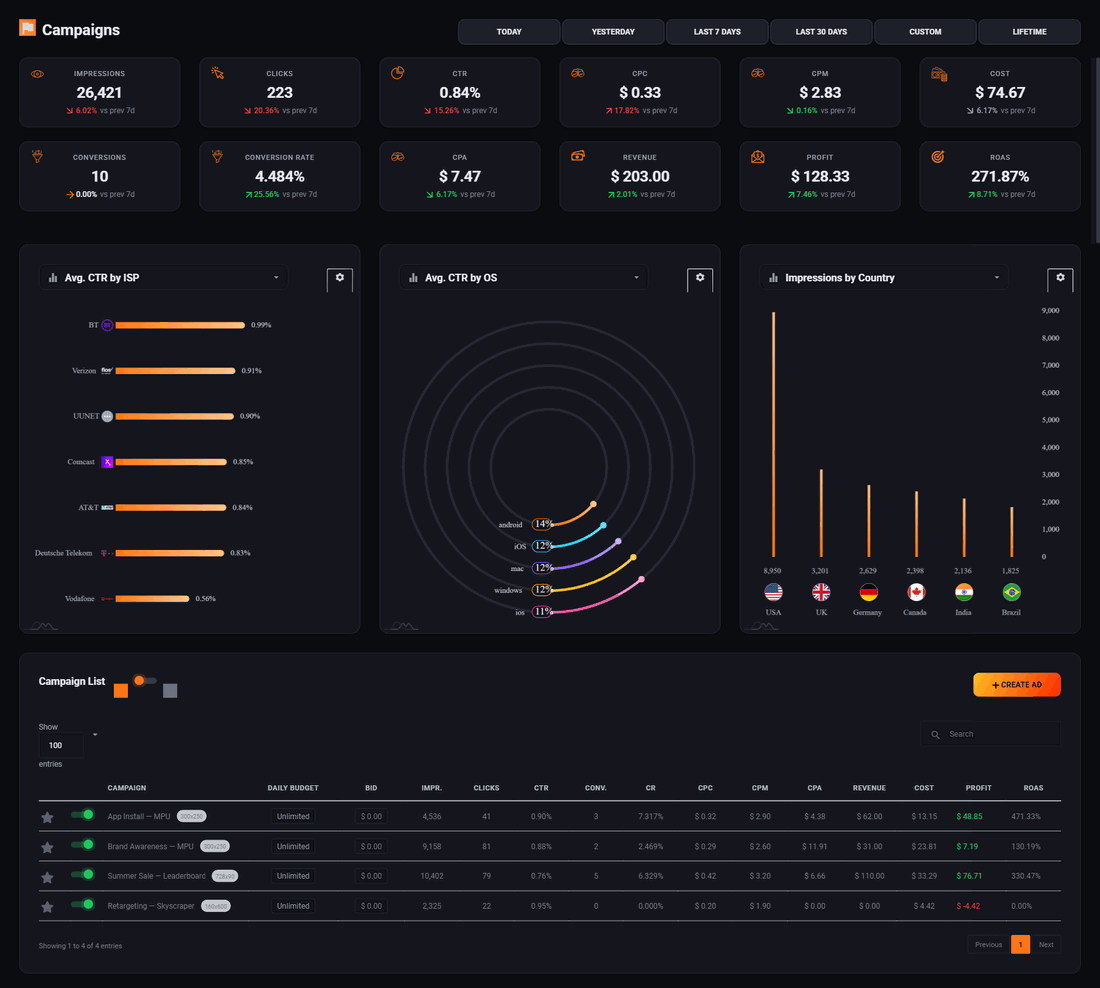
Every campaign you have built is listed here with what it has spent and what it got for the money. The buttons on the right of each row let you open its report, change its settings, change the bid, copy it, or delete it.
Copying is more useful than it sounds. To test a second piece of artwork or a different country, copy the campaign and change the one thing, rather than editing a campaign that is already working.
Reading a single campaign
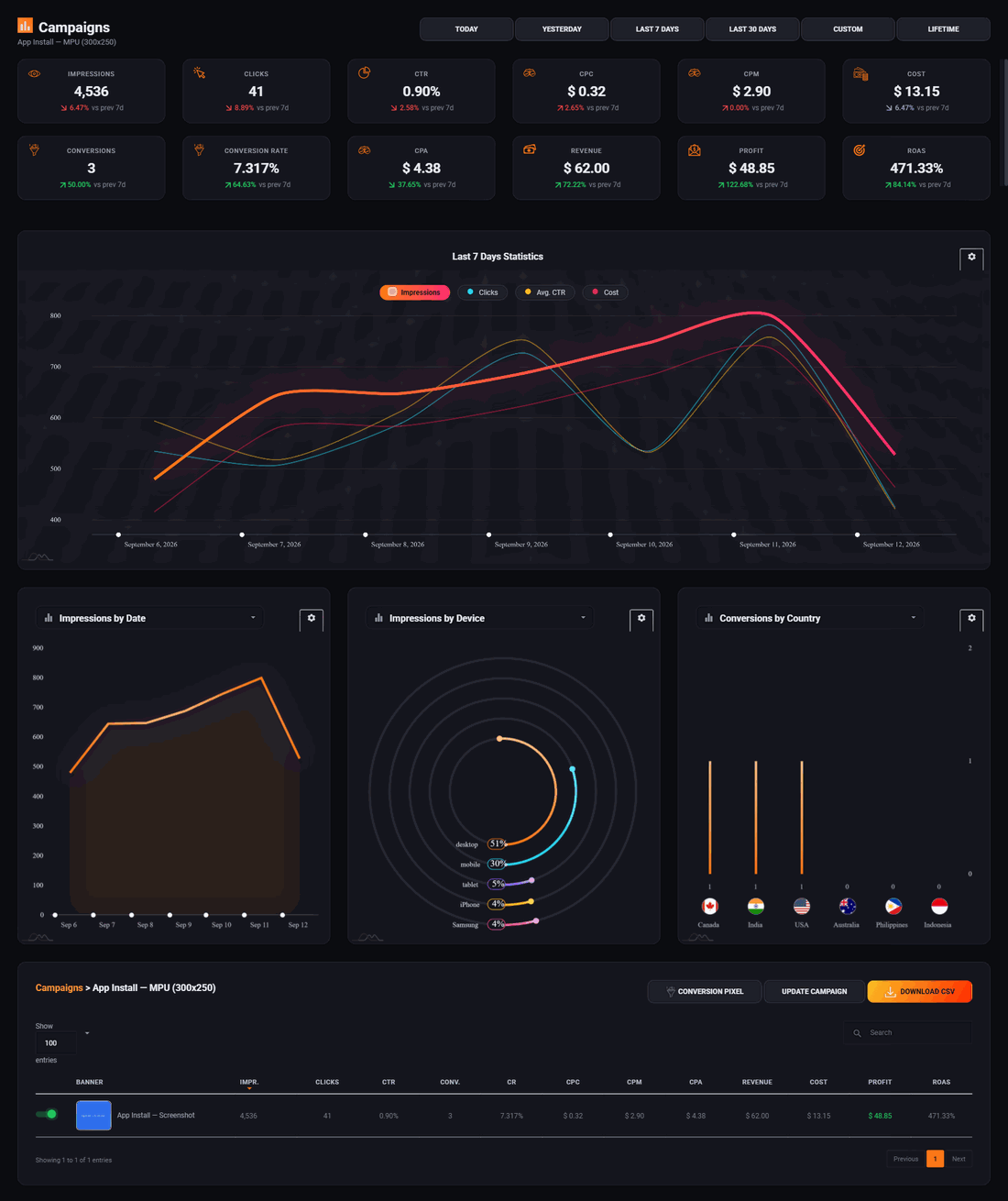
Click a campaign's name to open its own report. This is where you find out which countries and devices are worth your money, and which are quietly eating it. If one country has most of your spend and none of your conversions, take it out of your targeting.
The first two days
Two things usually go wrong at the start, and both are quick to fix.
- Almost no impressions
- Your bid is too low to win, or your targeting is too narrow. Raise the bid first, since it is one number and easy to undo. If that does nothing, take a targeting filter off.
- Plenty of impressions, almost no clicks
- The settings are fine and the artwork is not. The ad is being seen and ignored. Change the picture, not the bid.
Give it three or four days before drawing conclusions. Day to day figures jump around enough that a single bad day means nothing.
Run all of this on your own site.
Every screenshot above is the real product. Your advertisers see the same screens under your brand, and on your own domain from the Pro plan.
Start free trial14 days free. Your existing ads keep running. Cancel anytime.