
For site owners
Connect Stripe and take payments
Connect your Stripe account so advertisers pay you by card, what each state on the Payments page means, and voucher codes for everybody else.
Advertisers cannot spend money they cannot put in. There are two ways to take it: connect your Stripe account and they pay by card on your site, or hand out voucher codes and take the money however you like. Most people end up using both.
Whose money is it
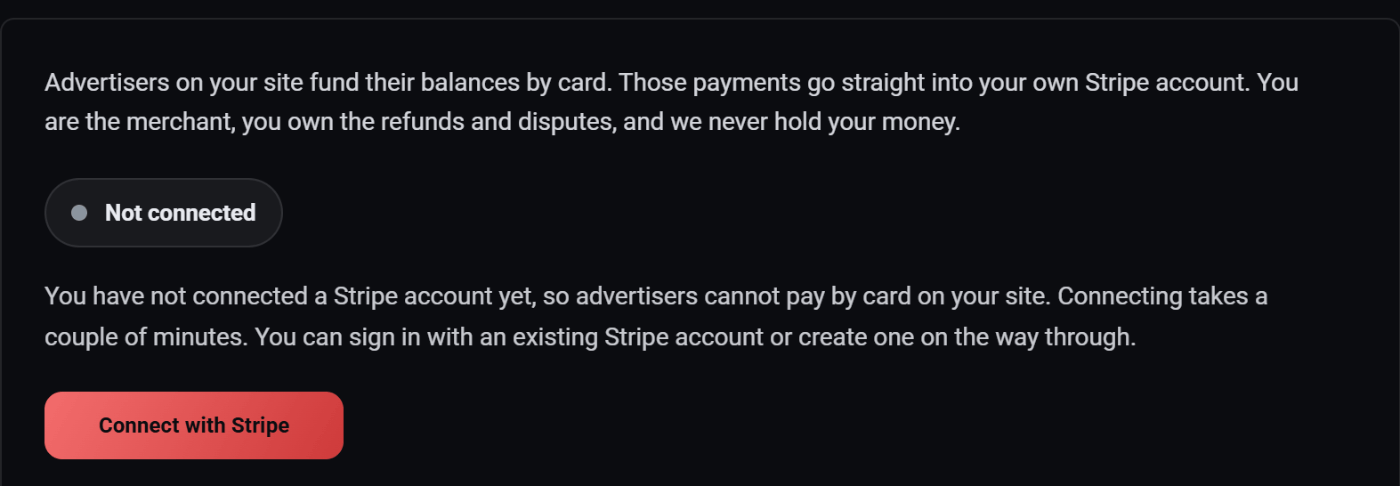
Advertisers on your site fund their balances by card. Those payments go straight into your own Stripe account. You are the merchant, you own the refunds and disputes, and we never hold your money.
That is worth reading twice, because it is not how most advertising platforms work. There is no payout to wait for and no threshold to reach. When somebody buys advertising on your site, the money arrives in your Stripe balance the same as any other sale you make.
We take nothing from those payments. Stripe charges its usual card fees on your account, as it would on any other sale, and your advertisers see your business on their card statement, not ours.
Connect your Stripe account
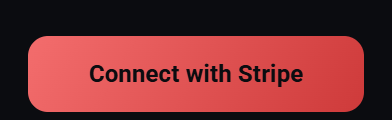
- In the Admin view, open Payments.
- Press Connect with Stripe. It takes you to Stripe.
- Sign in with the Stripe account you already use, or create one on the way through. Stripe asks for your business details and your bank account, because it is the one paying you out.
- Stripe sends you back to Payments, which says Stripe is connected and shows the state Stripe reports right now.
Changed your mind half way? Cancel on Stripe's side and nothing changes here. You can start again whenever you like.
One Stripe account per site. An account that is already connected to another site is turned away: use a different Stripe account, or disconnect it there first.
What the state means
The badge at the top of the Payments page is the state Stripe reports for your account. There are four.
Not connected
No Stripe account is connected yet, so advertisers cannot pay by card on your site. Vouchers still work.
Awaiting Stripe
Stripe has your details and is reviewing them, or the form was never finished. Advertisers cannot pay by card yet. Press Continue on Stripe to carry on where you left off, or check back shortly.
This is normal on a new account and usually clears within a day.
Action required
Stripe has paused payments on your account until it gets more information from you. This is not something we can clear for you: open your Stripe dashboard, sort out whatever it is asking for, then press Check again here.
Connected
Your account is live. Advertisers can add funds by card, and the money lands in your Stripe balance. Nothing more to do.
The buttons
| Button | What it does |
|---|---|
| Connect with Stripe | Starts the connection. Shown until you have connected an account. |
| Continue on Stripe | Takes you back to Stripe's form to finish it. Shown until your account is connected. |
| Check again | Asks Stripe for the state right now, after you have changed something there. |
| Disconnect | Stops card payments on your site until you connect an account again. It asks first, and money already paid stays in your Stripe balance. |
What your advertisers see
Once you are connected, an advertiser's Add Funds page takes a card. They pay on Stripe's secure checkout page, and the money is on their balance, ready to spend on your site, as soon as Stripe confirms the payment.
Vouchers, the other way in
A voucher is a code worth a fixed amount of credit. An advertiser types it in on their Add Funds page and the money appears in their balance.
Vouchers are useful in more situations than people expect:
- Before Stripe is connected. You can sell advertising from day one. Take the money by bank transfer, cash, invoice or anything else, then hand over a code.
- Advertisers who will not pay by card. Plenty of businesses pay by invoice and always will.
- A free trial. A $25 code given to a local business is the cheapest way to show somebody what your network does. Most of the work of selling advertising is getting the first campaign live.
- Making something right. A campaign that ran badly is fixed faster with credit than with an argument.
Creating vouchers
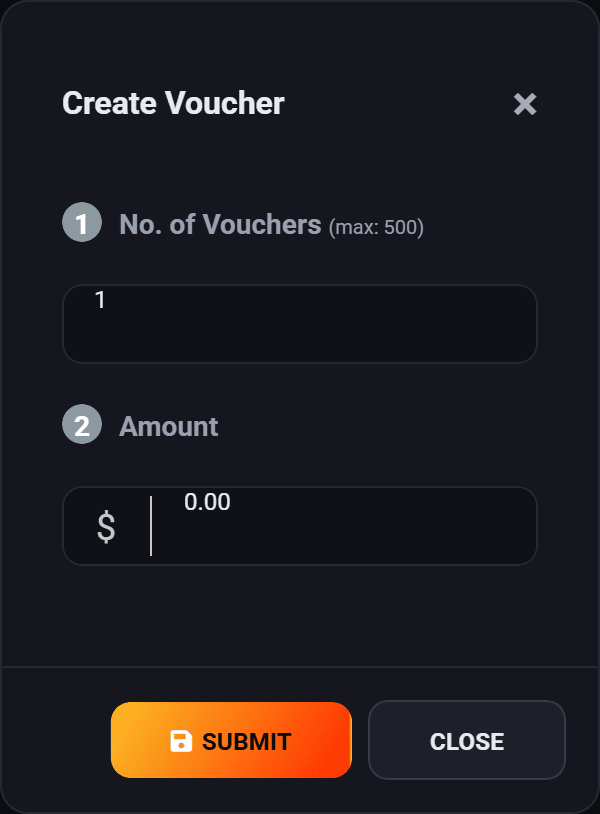
Open Vouchers and press Create Voucher.
- No. of Vouchers. How many codes to make, up to 500. Each is a separate code worth the amount below.
- Amount. What each one is worth.
Ten codes at $25 is ten codes worth $25 each, not ten codes sharing $25.
The voucher list
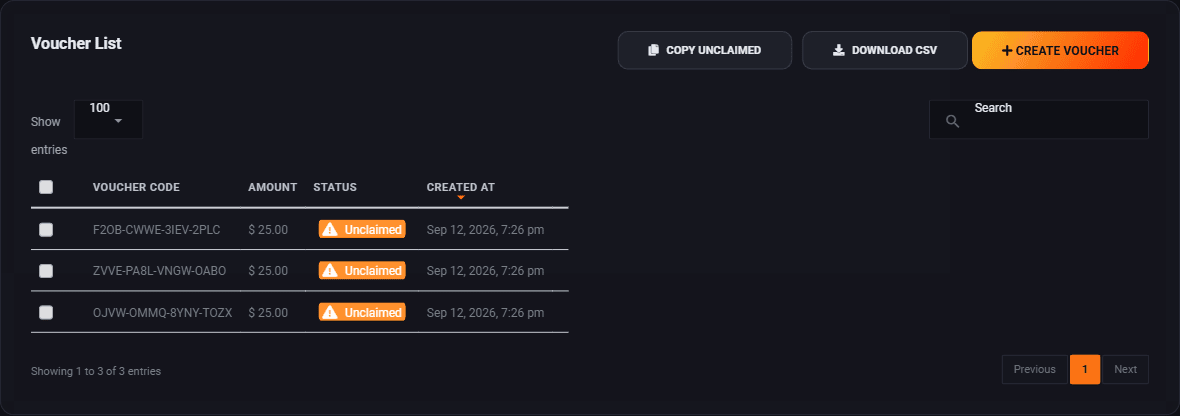

The three buttons above the table each do one thing:
| Button | What it gives you |
|---|---|
| Copy Unclaimed | Every code that can still be handed out, on your clipboard. This is the one you want when you are about to email a batch. |
| Download CSV | The whole list, claimed ones included, as a spreadsheet. For your records. |
| Create Voucher | Makes more. |
Both buttons answer from the database rather than from what is on screen, so you get everything and not just the page you are looking at.
Deleting vouchers
Tick the rows you want gone and a delete button appears. Unclaimed codes are gone for good once deleted, and anyone holding one will find it does not work, so be careful with a batch you have already emailed out.
How to actually use them
A voucher is a sales tool, not an accounting feature. The pattern that works is simple:
- Make ten codes at $25.
- Write to ten local businesses that would want your readers. Tell them you have put $25 of advertising on your site in their name, and here is the code.
- Help the first one through making an ad. It takes fifteen minutes and it is the single highest value thing you can do in your first month.
A business that has seen its own ad running on a site it reads is a far easier sell than one being asked to imagine it.
Where to go next
- Get advertisers on board, which is what the vouchers are for.
- Manage advertiser accounts, once people start signing up.
Run all of this on your own site.
Every screenshot above is the real product. Your advertisers see the same screens under your brand, and on your own domain from the Pro plan.
Start free trial14 days free. Your existing ads keep running. Cancel anytime.