For site owners
What shows when nothing sells
Four fallback options for an unsold slot, and the one that finds you advertisers.
No slot sells every single view, especially in the first few months. What goes in the gap is your choice, and one of the four options turns an unsold slot into a way of finding your next advertiser.
Where the setting is

The heading says it plainly: what fills this zone when no campaign has booked it. Each tab explains itself when you click it, and nothing is saved until you save the zone.
None
Nothing is drawn and the space collapses. The page closes up around where the ad would have been, as if the slot were not there.
Pick this only if your layout would look wrong with an empty box in it. It is the tidiest option and the only one that earns you nothing, so it is rarely the right answer on a slot you are trying to sell.
Advertise Here
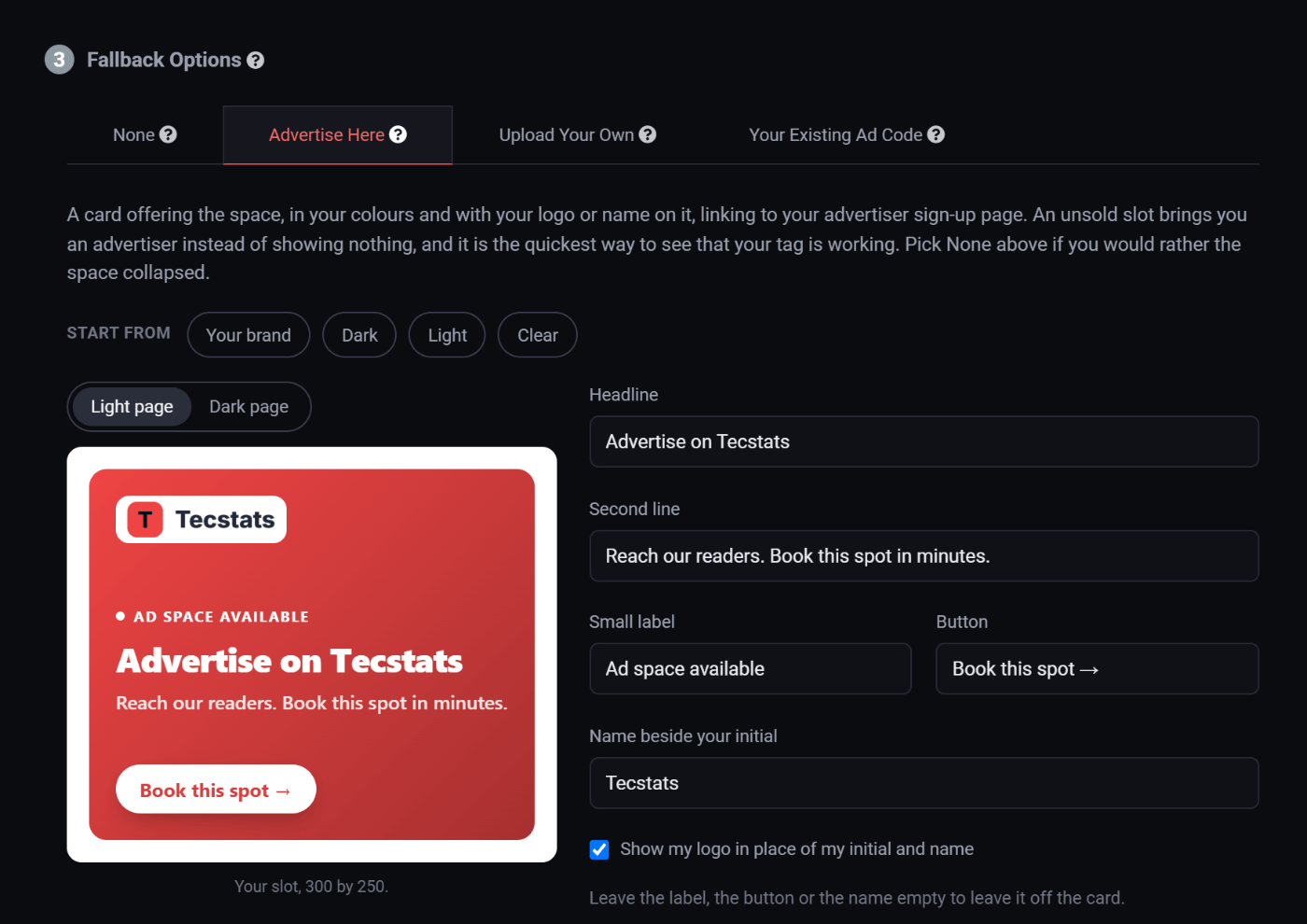
A card offering the space, in your colours and with your logo on it: a small "Ad space available" label, a headline, a second line and a Book this spot button. The logo is the one you uploaded on your Branding page; with none uploaded yet, the card shows your initial and your name instead. A click on it opens your advertiser sign-up page, so an unsold slot brings you an advertiser instead of showing nothing.
It starts as your own card, and four starting points (Your brand, Dark, Light and Clear) give you the same card on a different background. Then every part of it is yours: the headline, the second line, the label, the button, your logo or the name beside your initial, your colour, the background, a second colour and a gradient angle, the text colour, the font, the border and the corners, or no background at all so the card sits straight on the page. Leave the label, the button or the name empty to leave it off the card.
The preview is the real card at the real size of your slot, laid out for that size: a leaderboard puts your logo on the left and the button on the right, a phone banner keeps one line and the button, a skyscraper stacks. Switch it between a light page and a dark page to see it on whichever your own site turns out to be.
This is the one to pick, and the reason is worth spelling out. Every unsold view is a free advert for your own advertising. The people seeing it are on your site, reading your content, which means they already know your audience is the audience they want. That is a better lead than anything you will get from cold emailing strangers.
Set this on every zone when you start out. Your slots will be mostly unsold for the first while, and that is exactly when you most want people asking about buying them.
The card is not an ad, so it never earns anything, but it is counted. On your dashboard's All traffic view its views and clicks are in the figures like any other; switch to Paid only to see just what advertisers bought.
Upload Your Own
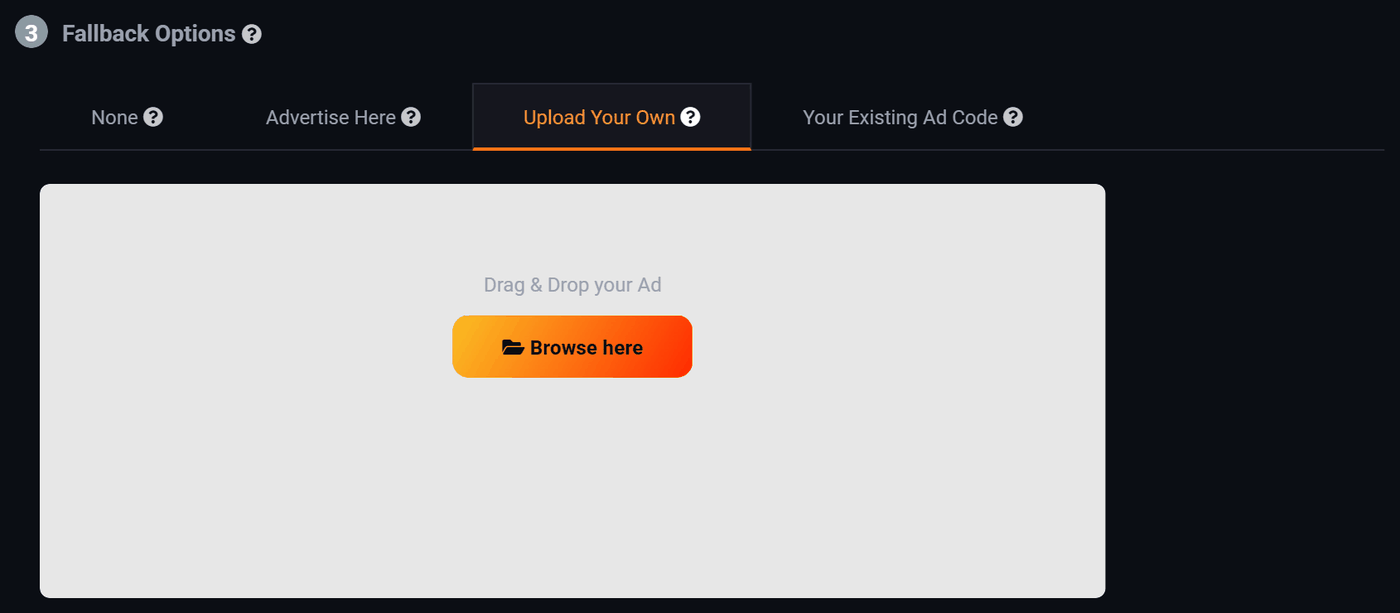
Your own image, shown when nothing is booked. The drop area is already set to the size of this zone, so you know what to make before you make it.
Use it to advertise your own things: a newsletter signup, a product you sell, a page you want people to read. Unsold space promoting your own business is worth more than unsold space promoting nothing.
The file rules are the same as an ordinary banner: exactly the zone size, PNG or JPEG.
Your Existing Ad Code
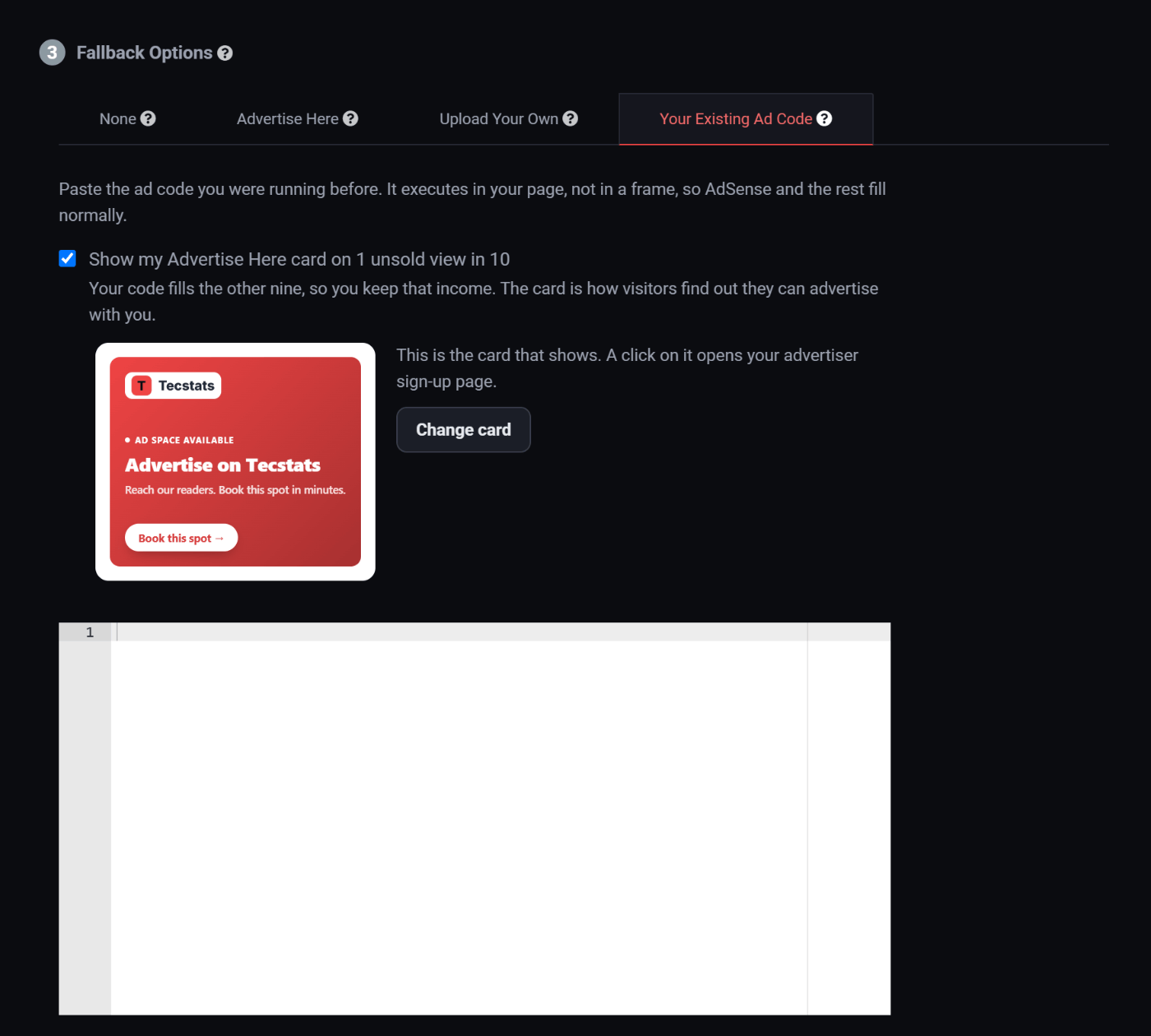
Hands the slot back to the network you were running before. Paste the ad code you were using and it runs whenever your own advertisers have not booked the slot.
That code executes in your page rather than inside a frame, so AdSense and the rest fill normally instead of coming back blank.
One unsold view in ten shows your Advertise Here card instead of your code, so visitors still find out they can advertise with you while the old network keeps paying for the rest. To keep every unsold view on your code, untick Show my Advertise Here card on 1 unsold view in 10 under that tab.
The card that shows is right there under the tickbox, so it is never a surprise. Change card opens the same designer there, so you can restyle it without leaving the tab.
This is the safe way to move across from another network. Your direct advertisers get first refusal, because they pay more, and whatever they do not take still earns through the old network. You do not have to choose between the two, and your earnings barely move while you are building up.
Which to pick
| Your situation | Pick |
|---|---|
| Starting out, no advertisers yet | Advertise Here. Free advertising for your ad space, aimed at exactly the right people. |
| Already running another ad network | Your Existing Ad Code. Your old network keeps nine unsold views in ten while you build up direct advertisers. |
| You have something of your own to promote | Upload Your Own. |
| The layout breaks if the slot is not filled | None, and only then. |
It is set per zone
Each slot has its own fallback, so you can mix them. Advertise Here on the big slot at the top of your busiest page, your old network code on the quieter ones, your own newsletter banner in the sidebar.
Native slots have none. A native ad is built from an advertiser's picture and words, so a native slot shows nothing until one is booked, and Create Zone says so in place of the four tabs.
Change it any time from your zone list. The tag on your site does not change, so there is nothing to update on your own website.
Where to go next
- Set your floor price. A floor set too high is the usual reason a slot goes unsold in the first place.
- Get advertisers on board, so there is less to fall back on.
Run all of this on your own site.
Every screenshot above is the real product. Your advertisers see the same screens under your brand, and on your own domain from the Pro plan.
Start free trial14 days free. Your existing ads keep running. Cancel anytime.