
For site owners
Zone types and sizes
Six formats, twelve sizes, and which combination is most likely to sell.
A zone is one advertising slot on one of your pages. Before you can make one you have to answer two questions: what kind of ad goes in it, and how big it is. This page goes through every option on both.
The six formats
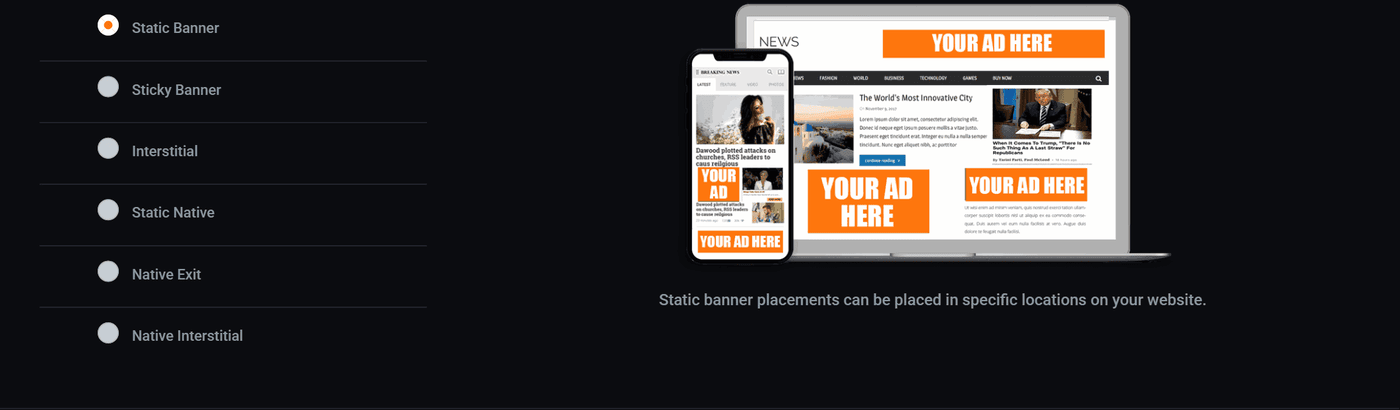
The picture on the right is not decoration. It shows you where that format lands on a page, which is usually enough to tell whether it is the one you meant.
Static Banner
A picture that sits in one place on the page and stays there. This is the ordinary one, and it is what most people mean when they say "a banner".
Pick it for a slot you have a definite place for: the top of a page, beside an article, between two sections.
Sticky Banner
The same picture, except it follows the reader down the page as they scroll. It stays on screen the whole visit instead of scrolling away after two seconds.
Worth more per view than a static banner, because it is seen for longer. Also more annoying, so one per page at most, and never on a page people read on a phone in a hurry.
Interstitial
A full screen ad that appears between two things: after somebody finishes an article and before the next one loads, or on the way into a section.
It earns the most of any format and it costs the most in patience. If you use one, put a frequency cap on it so the same person does not meet it four times in a visit.
Static Native
An ad built out of a small picture, a headline and a line of text, styled to match the articles around it rather than to stand out from them.
These work well in a list of posts or at the end of an article, because they look like the next thing to read. They must still be labelled as advertising, and they are.
Native Exit
A native ad that appears when somebody looks like they are about to leave: mouse heading for the close button, or a back gesture on a phone.
The reasoning is that the visit is over anyway, so nothing is being interrupted. It is the least intrusive way to run a large ad.
Native Interstitial
A native ad that slides in from the side of the screen, then slides away again. Smaller and softer than a full interstitial, and it does not cover what somebody is reading.
Then the size
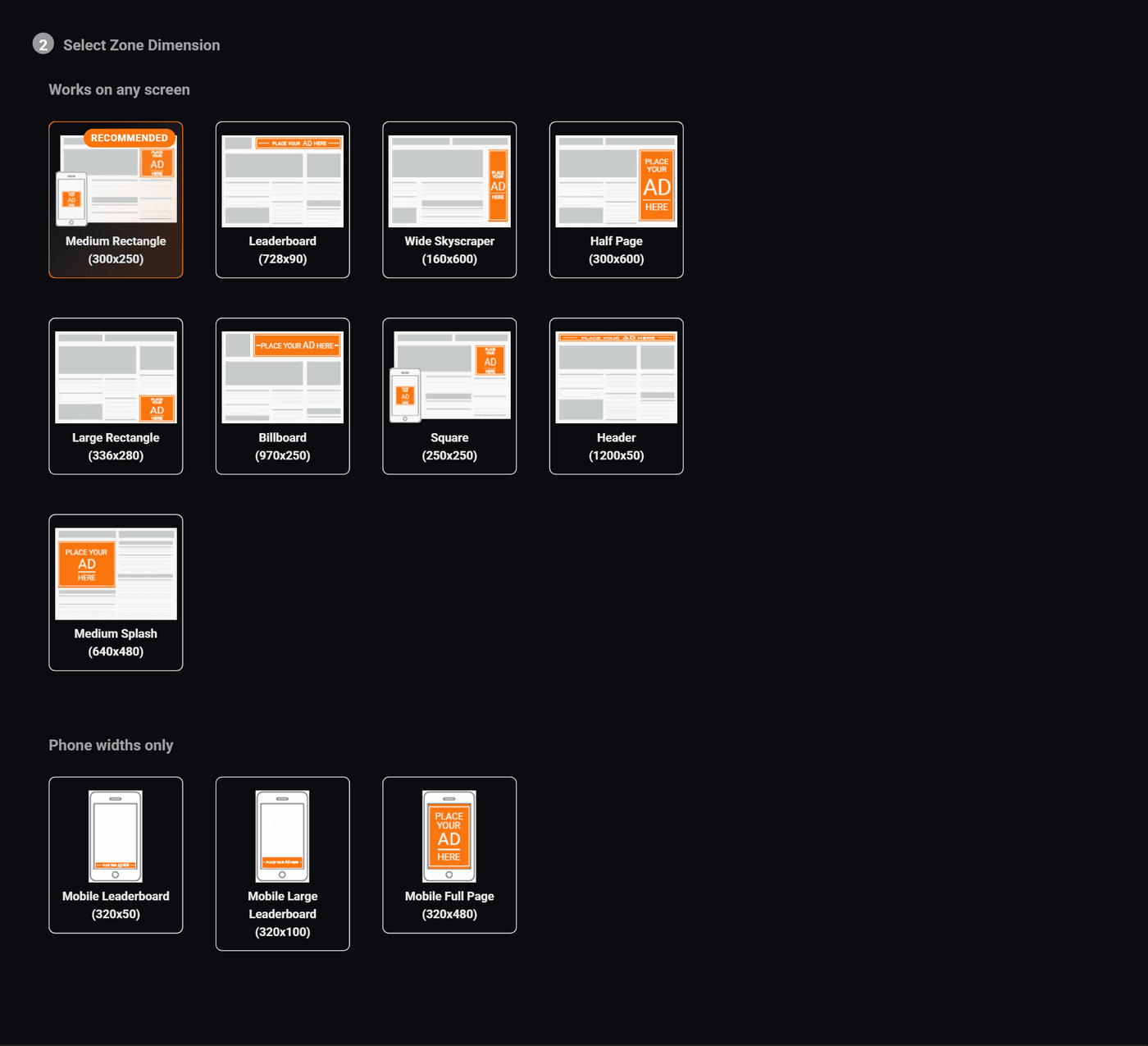
Each tile shows a page with that shape drawn on it in orange, so you can see how much of a screen it takes up before you commit.
Works on any screen
| Size | Pixels | Where it normally goes |
|---|---|---|
| Medium Rectangle | 300x250 | The safest slot on the internet. Inside an article, or the top of a sidebar. Fits a phone and a desktop, which is why it is the recommended one. |
| Leaderboard | 728x90 | Across the top of a page. Desktop only in practice, because phones are not that wide. |
| Wide Skyscraper | 160x600 | Down a sidebar. Tall and thin, and on screen for a long time while somebody scrolls. |
| Half Page | 300x600 | A sidebar slot with real presence. Earns well and takes up half the column. |
| Large Rectangle | 336x280 | Slightly bigger than a Medium Rectangle and used in the same places. Fewer advertisers have artwork for it. |
| Billboard | 970x250 | A wide block at the top of a desktop page. Needs a wide layout to sit in. |
| Square | 250x250 | Small and easy to place. Good for a narrow sidebar. |
| Header | 1200x50 | A thin strip across a wide page. Unobtrusive, and priced that way. |
| Medium Splash | 640x480 | Large and roughly the shape of a photo. Usually used for interstitials. |
Phone widths only
| Size | Pixels | Where it normally goes |
|---|---|---|
| Mobile Leaderboard | 320x50 | A thin strip at the top or bottom of a phone screen. |
| Mobile Large Leaderboard | 320x100 | Twice the height of the one above, and noticeably more valuable for it. |
| Mobile Full Page | 320x480 | Most of a phone screen. For interstitials. |
A phone width size will not fill on a desktop and a desktop size will not fit a phone. If most of your traffic is on phones, a Medium Rectangle at 300x250 still fits, and it will find far more advertisers than a phone only size will.
If you are not sure, do this
- Pick Static Banner.
- Pick Medium Rectangle, 300x250.
- Put it inside your main article template, about a third of the way down.
That is the combination the largest number of advertisers already have artwork for, which means it is the one most likely to sell. Make the clever slots after you have seen the ordinary one fill.
Every zone gets a name
The name is how a slot shows in your zone list and in your reports, so call it after where it sits: Homepage Leaderboard, Article Sidebar. Leave it empty and it is called by its format and size, like Static Banner 300x250. Only you see it, and you can change it whenever you like.
The tag carries something else: a long id, fixed for the life of the zone, which is how the server knows which slot is asking. That id is what to quote if you ever need to ask about one particular slot.
Changing your mind later
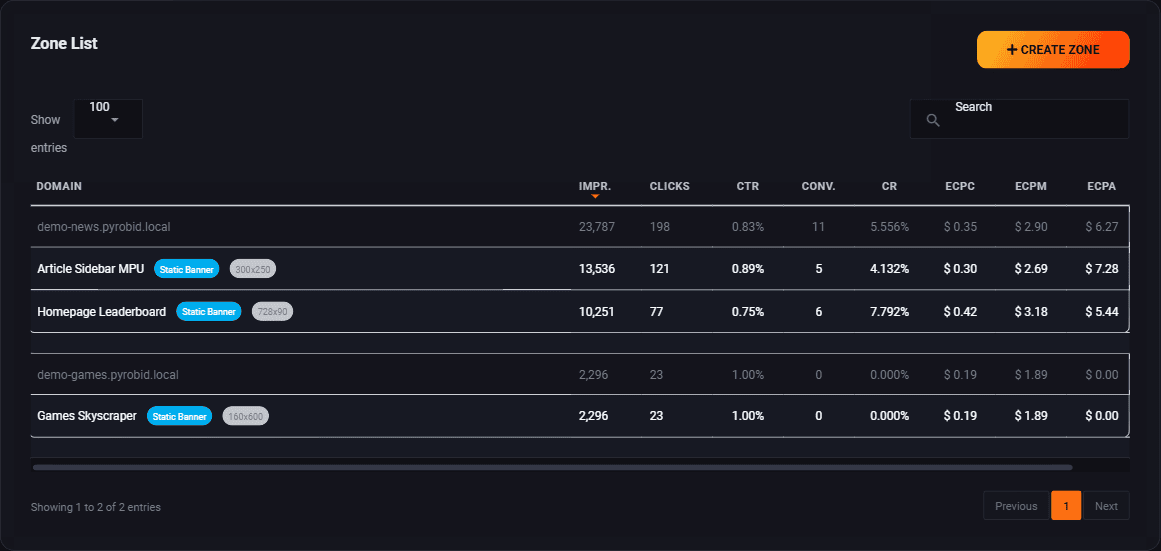
You can edit a zone at any time from this list. The floor price and the fallback change freely. The format and the size are different: the tag on your page reserves a space of a particular shape, so changing the size means going back to your site and replacing the tag as well.
It is usually less trouble to make a second zone and swap which tag is on the page, then delete the old one once you are happy.
Where to go next
- Set your floor price, which is the next question the form asks.
- What shows when nothing sells, so an empty slot still earns you something.
- Put the tag on your site, once the zone exists.
Run all of this on your own site.
Every screenshot above is the real product. Your advertisers see the same screens under your brand, and on your own domain from the Pro plan.
Start free trial14 days free. Your existing ads keep running. Cancel anytime.